An Upwork proposal tracker is the difference between spraying connects blindly and running Upwork like a sales channel—with visibility into what you applied for, what responded, and what deserves a follow-up today.
Upwork is not "set and forget." Jobs receive dozens of proposals within hours. Clients view a subset, interview fewer, and hire one. If you treat each application as a fire-and-forget message, you are optimizing for activity, not wins.
This guide gives you a complete Upwork freelance workflow: what to capture per job, how to stage deals in your pipeline, when to follow up, and how to connect Upwork activity to a freelancer CRM so platform work does not live in a silo.
Why you need to track Upwork proposals separately
Upwork's native interface shows submissions and messages—but not your full commercial picture:
- No unified view across Upwork + LinkedIn + referrals
- Limited reminder system tied to your sales stages
- No link between proposal content and outcome analysis
- Hard to calculate true cost per win (connects + time)
A dedicated Upwork proposal tracker—even a structured spreadsheet at minimum—answers:
- How many proposals did I send this week?
- How many moved to interview?
- Which job types convert?
- Which open proposals need a nudge?
The Upwork workflow: step by step
Step 1: Qualify before you spend connects
Not every job deserves a proposal. Before applying, check:
- Budget realism vs. scope described
- Client history (hire rate, average hourly paid, reviews)
- Competition signal (proposals already submitted)
- Fit with your niche and portfolio proof
If it fails qualification, skip it. Saved connects are saved wins.
Tracker field: Qualified: yes/no and Skip reason
Step 2: Capture job context in one record
When you apply, create a lead record immediately—do not rely on Upwork's list alone.
Minimum fields:
| Field | Example | |-------|---------| | Job title | "Shopify speed optimization" | | Job URL | Upwork link | | Posted budget | $800–$1,200 fixed | | Connects spent | 16 | | Date applied | 2026-06-17 | | Proposal version | Link or ID in your CRM | | Stage | Proposal sent |
Tools like SoloPipeline store this alongside non-Upwork leads so your freelance sales pipeline stays unified.
Step 3: Write the proposal with a repeatable structure
Upwork proposals are short. Lead with relevance:
- Line 1–2: Specific hook from their post
- Middle: 3 bullets on approach + one proof point
- Close: Question or micro-CTA ("Happy to clarify X in a quick message")
Full structure in our proposal writing guide.
Step 4: Stage the deal correctly
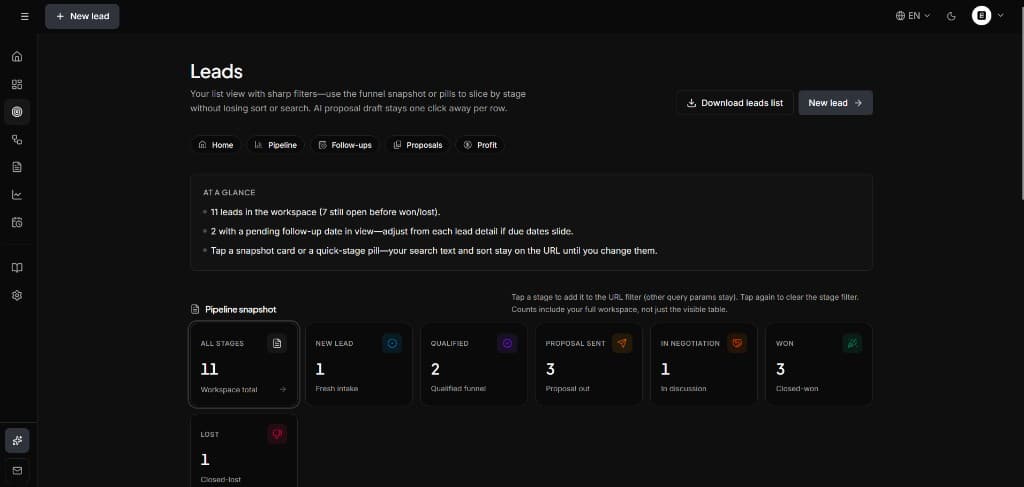
Use consistent stages:
- New — job saved, not yet applied
- Proposal sent — application submitted
- Contacted — client replied or invited interview
- Won / Lost — offer accepted or closed
Move the card when state changes—not when you "feel" something shifted.
Step 5: Follow up within platform rules
Upwork limits unsolicited messaging. Work within what is allowed:
- Reply quickly to client messages
- Use permitted follow-ups after proposal submission when available
- If invited to interview, confirm times within hours
For allowed nudges, use short messages—see our follow-up guide.
Step 6: Log outcomes and loss reasons
When a job closes without you:
- Mark Lost
- Tag reason:
price,fit,ghosted,hired other,job cancelled - Note connects spent
Monthly, review: which tags repeat? That drives qualification changes—not more proposals.
Metrics for Upwork as a channel
Track these monthly:
- Connects spent — direct cost
- Proposals sent — volume
- Reply rate — replies ÷ proposals sent
- Interview rate — interviews ÷ proposals sent
- Win rate — offers ÷ interviews (or ÷ proposals if volume is low)
- Cost per win — connects $ + estimated proposal time
If reply rate drops, fix qualification or proposal hooks—not volume.
Combining Upwork with other channels
Your Upwork CRM workflow should not isolate platform jobs. Referrals and inbound leads belong on the same pipeline so you prioritize by deal value and likelihood, not by where the notification appeared.
Monday review across all channels:
- Sort by stage: focus on Proposal sent and Contacted
- Sort by budget: high-value first
- Check follow-ups due today
This prevents the common failure mode: obsess over Upwork connects while a warm referral email sits unanswered.
Spreadsheet tracker template
If you are not ready for software, use these columns:
Job Title | URL | Date Applied | Connects | Budget | Stage | Last Client Action | Follow-up Date | Outcome | Notes
Update Last Client Action whenever something changes—view, message, decline.
Migrate to a freelancer CRM when rows exceed ~15 active or you miss follow-ups twice in one month.
How SoloPipeline supports Upwork tracking
SoloPipeline is built for the freelance commercial loop Upwork fits into:
- Lead capture with source = Upwork, budget, and notes
- Pipeline board shared with non-Upwork deals
- Proposals drafted with AI from job context
- Follow-ups scheduled on the lead record
- Dashboard for active value and conversion
It is intentionally lightweight—no enterprise modules—so you track Upwork jobs in minutes, not after a CRM implementation project.
Compare broader CRM options in our 2026 buyer's guide.
Weekly Upwork habits (30 minutes)
Monday: Review all Proposal sent from last 7 days. Send allowed follow-ups.
Wednesday: Qualify new job feed saves. Apply only to strong fits.
Friday: Log wins/losses. Update loss tags. Note one proposal hook that worked.
Consistency beats binge-applying on Sunday nights.
Common Upwork tracking mistakes
Counting applications as success. Proposals sent is an input metric. Replies and wins are outputs.
No loss reasons. You will repeat the same qualification errors.
Separate systems per channel. Unified pipeline wins for prioritization.
Ignoring proposal quality for speed. Track both volume and reply rate—optimize the ratio.
Never following up. Many clients choose from a shortlist after a gentle nudge. Stay professional, not pushy.
Summary
An Upwork proposal tracker workflow turns platform activity into a managed channel:
- Qualify before spending connects
- Capture every application in a lead record with URL, budget, connects, date
- Stage deals: New → Proposal sent → Contacted → Won/Lost
- Follow up within Upwork rules, quickly on interviews
- Log outcomes and review metrics monthly
- Unify Upwork with other leads on one pipeline
Upwork rewards freelancers who combine good proposals with operational discipline. Track the work like it matters—because revenue does.